Story, notes and handouts
Story entries, notes, handouts, the calendar and the message of the day are how the GM tells the story and the players keep track of it. This page covers the text editor, the campaign's story, notes, handouts and pictures, read-aloud text, the calendar and quick slots for the GM's prep.
The text editor
Notes, story pages, quests and descriptions share one text editor. Its bar gives bold, italic, underline, a heading, a list, boxed read-aloud text, a table and plain text.
Drag anything into it (a book page, a picture, a character, a sound, a note, a record) and it becomes a chip in the words that opens with a click. Dice in the text ([[1d20+3]], or "2d6 + 3 fire") are chips you click to roll. Text is saved as you leave the field.
Story
World > Story lists the campaign's own story entries above the adventures' entries, by chapter.
- New makes one of the campaign's own. It has a chapter, an order, and pages: text, a picture, or a book page (drag a picture or page onto it).
- An adventure's entry has Copy to campaign, so you can change it without touching the book.
- Share an entry and the players find it under their own Story, its pictures included.
Notes
- Notes (sidebar, Player > Notes) are for the GM and the players.
- Notes from chat: drag any chat line into a note, or onto Player Notes to start one.
- Clicking a roll chip while typing in a note only places the cursor; it does not roll.
Handouts and pictures
- Every picture of every active book is in Campaign > Images, and in Library > Assets by folder.
- Share a picture from its preview to show it to every player, or use its right-click menu's Show to for one player.
- Drag a picture onto a player's portrait to share it with that player alone.
Read aloud
Boxed text in an adventure (Fantasy Grounds' frames) has a speech button for the GM. Its words go to chat and appear over everyone's map as a speech bubble. /story text in chat posts story text without a name.
The Calendar
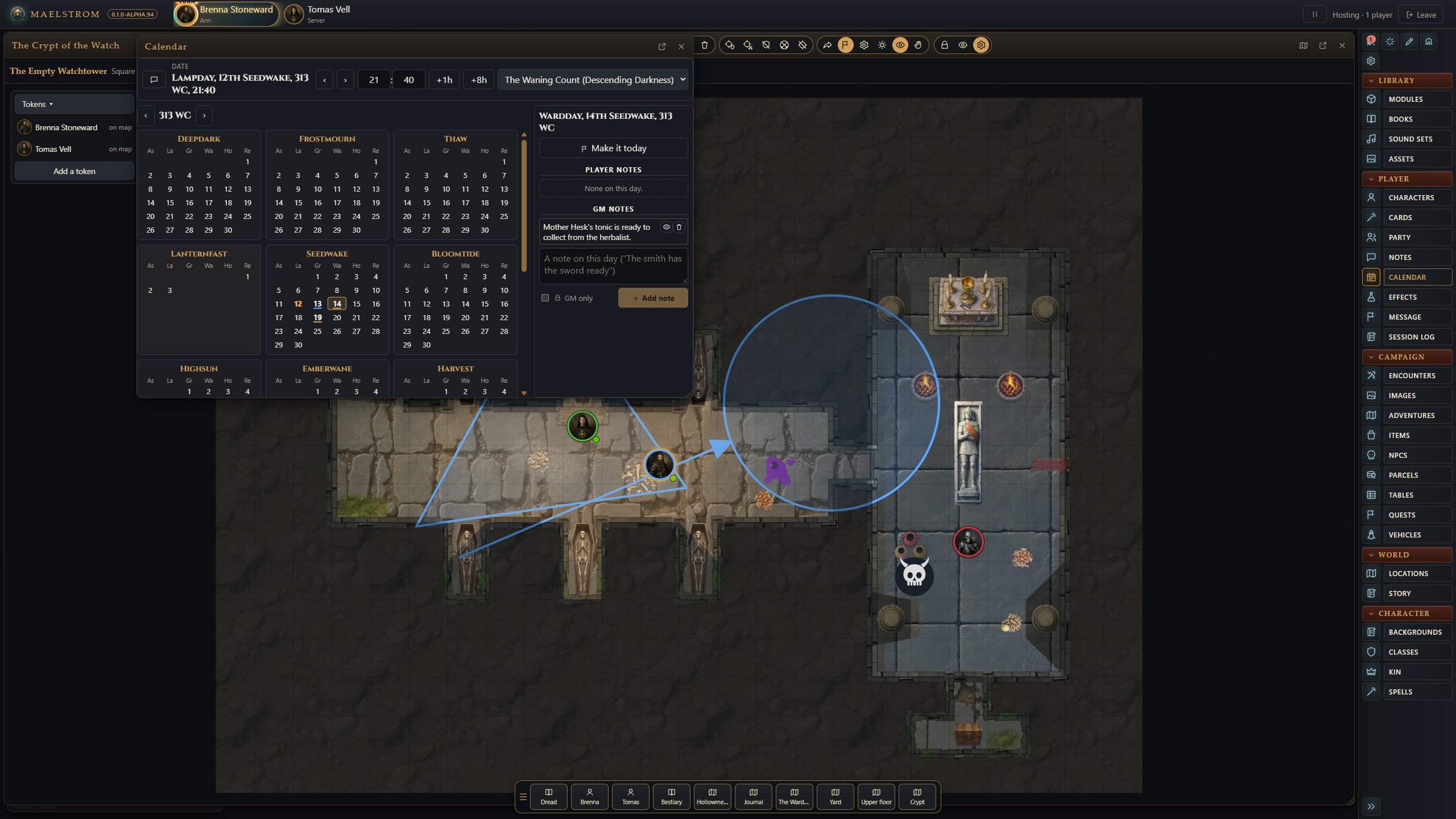
Calendar (sidebar) is your game's calendar: Greyhawk, Harptos, Golarion, Traveller's Imperial date, and Maelstrom's own, depending on the game.
- Move the day on, add 8 hours for a rest, set the time, say the date in chat.
- Click a day for its page and write a note there. Players see it, unless you tick GM only.
- Players write their own notes, signed in their colour.
- With bookkeeping on, each day that ends on the calendar has the party eat and drink (see Bookkeeping and rest).
Message of the Day
Message of the Day (sidebar) is what players see as they join. Drag a map, an NPC or a page into it to link it.
Quick slots
The quick slots along the bottom keep ten things at hand: a book or a page, a map, a character, a sound, a note, dice, or a chat line. Click a slot, or press its number key (1 to 9, then 0), to use it. See Keyboard and mouse.